Hyperstack digital credentials aim to revolutionize the education sector.
Digital credentials are crucial for online education. Hyperstack's Credential Cloud provides credible verification for professionals and learners. What's next after completing an online program?
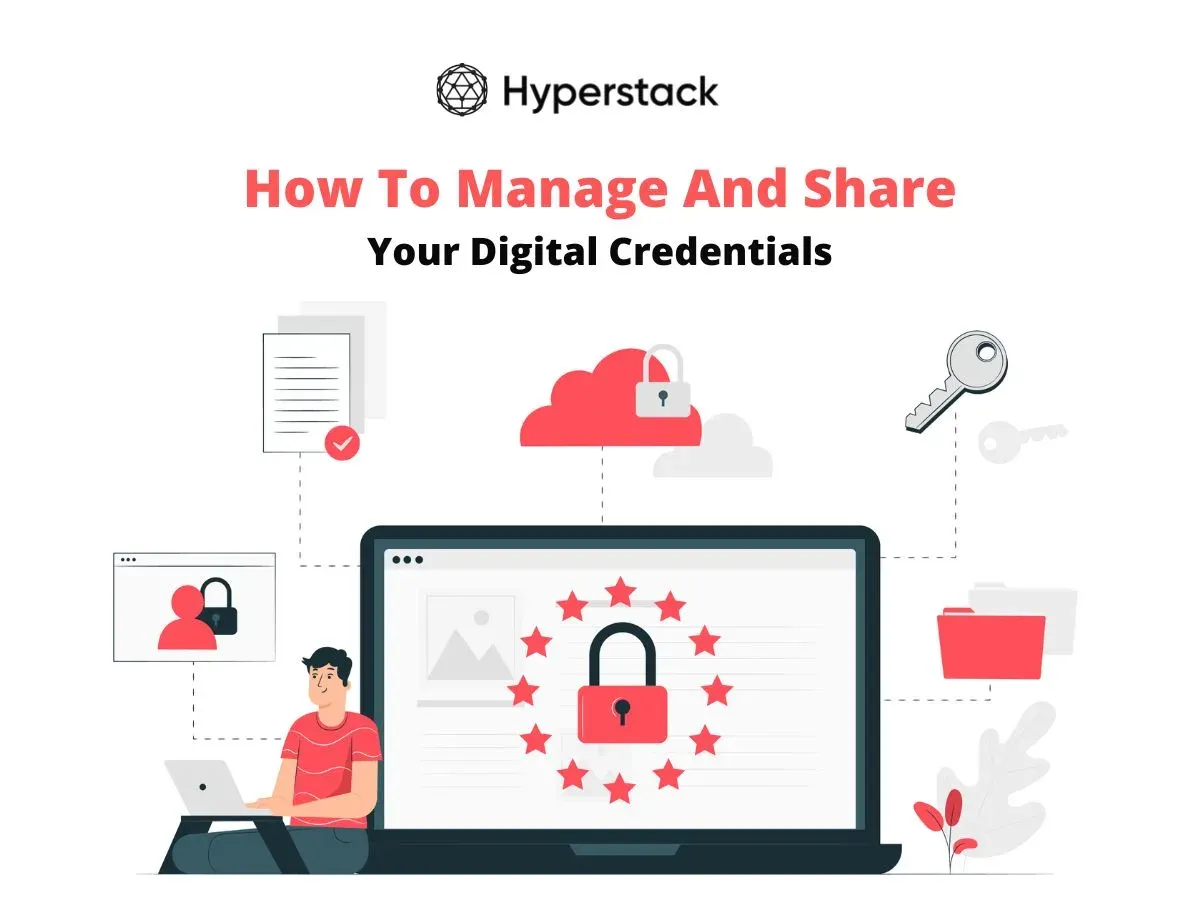
Here’s how you as an individual can manage, verify and share your digital credential.
Accept your digital credential with ease.
Receive your digital credential after course completion. Check your spam folder if the email is not received.
Once you open the email, you’ll be created with a page like this.
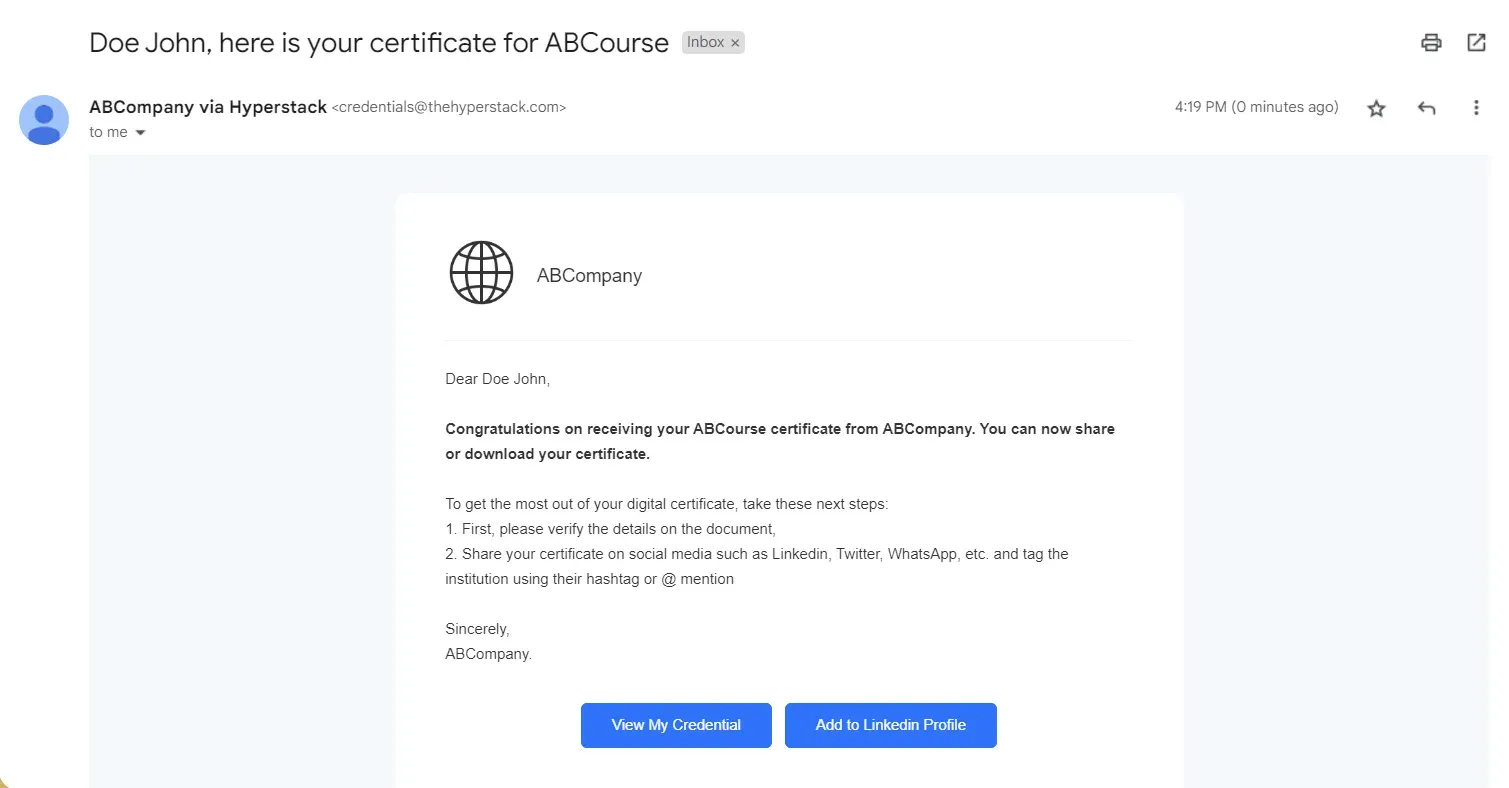
Congratulations! You’ve successfully received a digital certificate from your institution. Clicking on the “View My Credential” Button will take you to your certificate that you can verify, download, and share!
One of the benefits of Hyperstack is that it allows you to directly claim your credential without having to create an account. Just click on the button to view your credential and you’ll be greeted with a page like this.
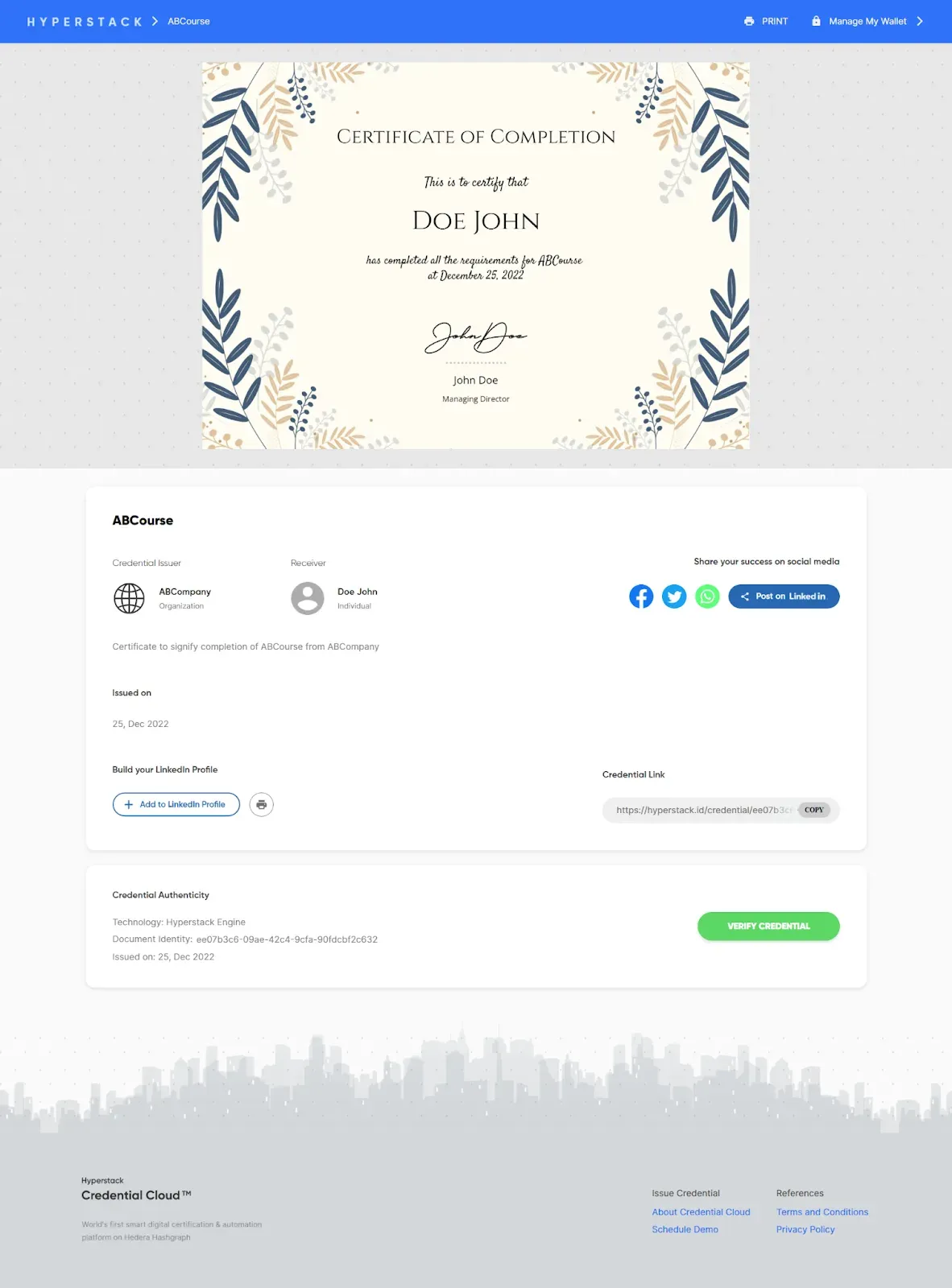
If you’d like to share your credentials directly, click on the “Add To LinkedIn Profile” where you’ll be redirected to LinkedIn. Manage your digital credentials with your Digital Wallet on the top right of the page!
Easily verify your digital credential to showcase your achievements
On the credential page, scroll down and you will be greeted with a verification button, that will allow you to verify your credential. It should look something like this.
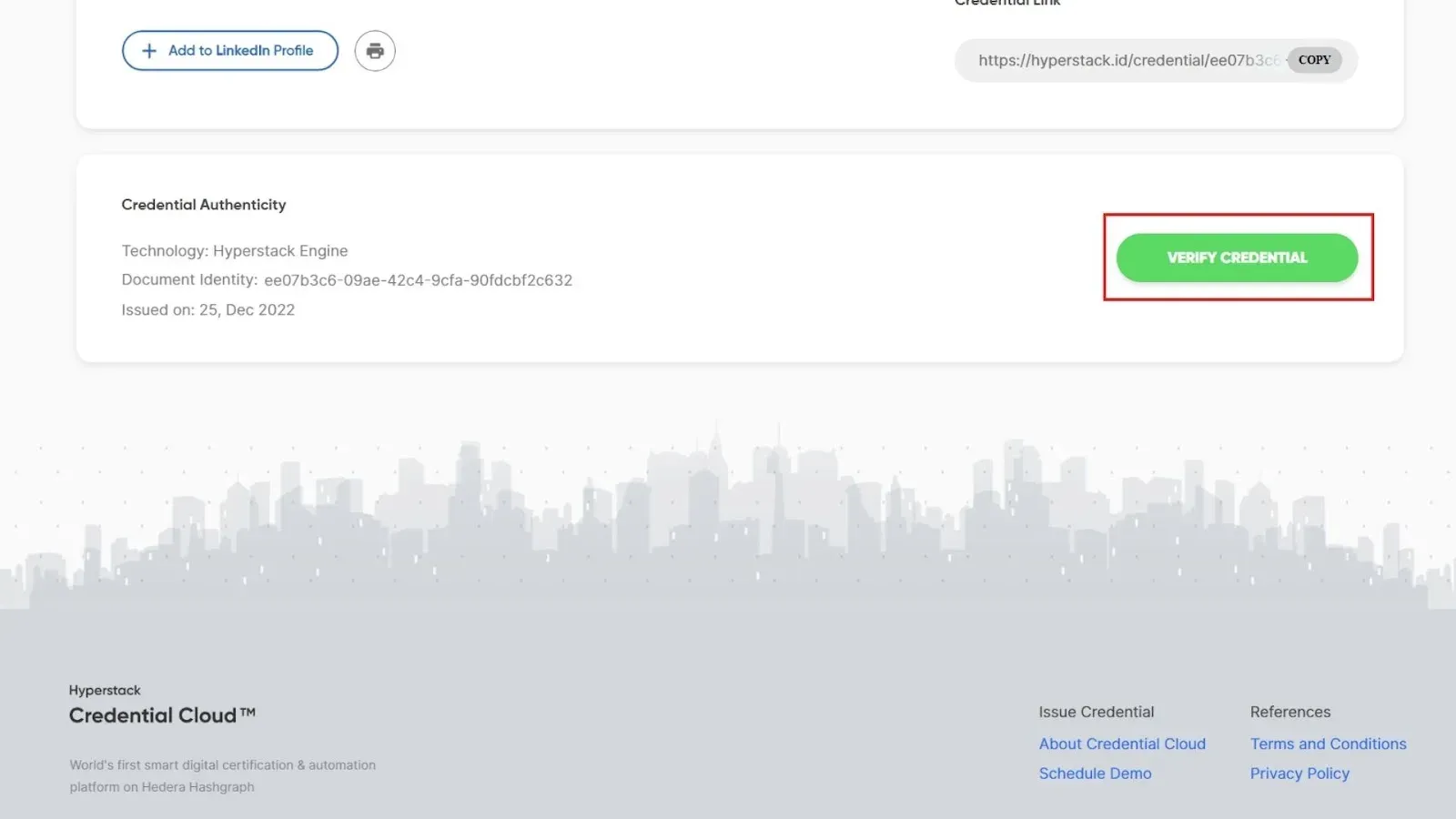
Click the button to instantly verify your digital credential!
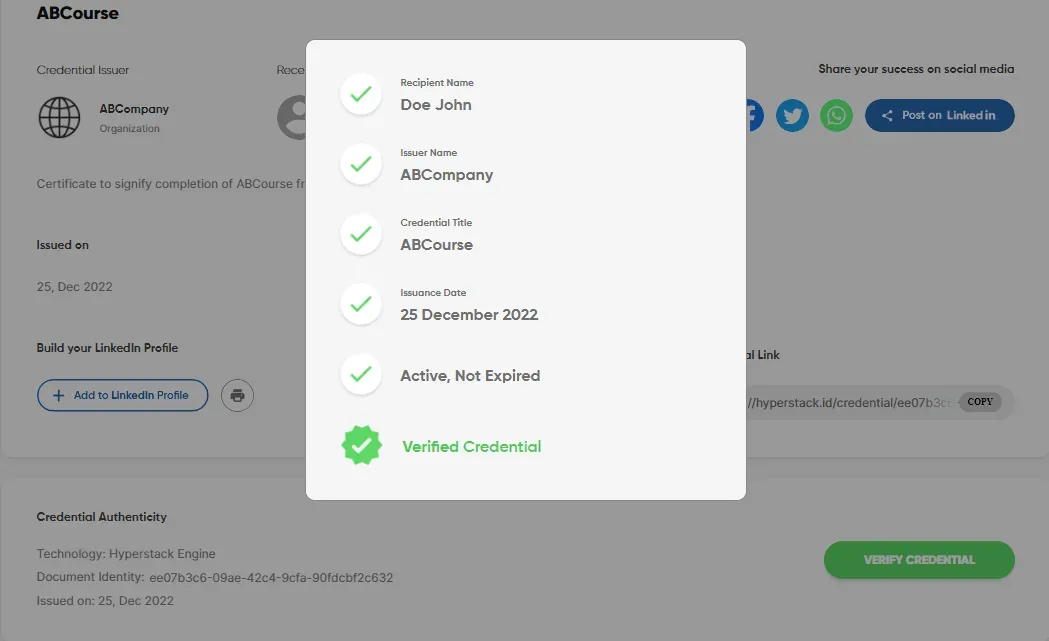
Share your digital credential with ease and let others know about your accomplishments.
Hyperstack’s Credential Cloud is integrated with popular social networks, such as LinkedIn, Facebook, Twitter, and WhatsApp, giving you the ability to directly share your credential with your friends and family. It’s a standard procedure for each social media app to require you to allow Hypestack’s Credential Cloud to post on your behalf. Follow the steps and instructions required, as well as any prompts that pop up to complete the sharing activity. You can also copy the embed link to share your credential on your blog or website.
That’s it! Accepting, managing, and verifying your digital credentials is that easy!
Tags